Questions
The matrix format presents multiple questions, each allowing a single answer.
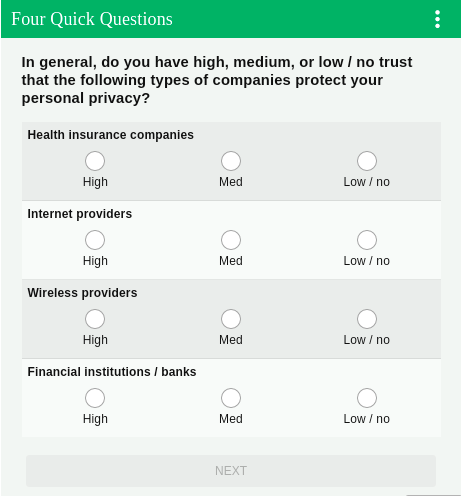
Responses
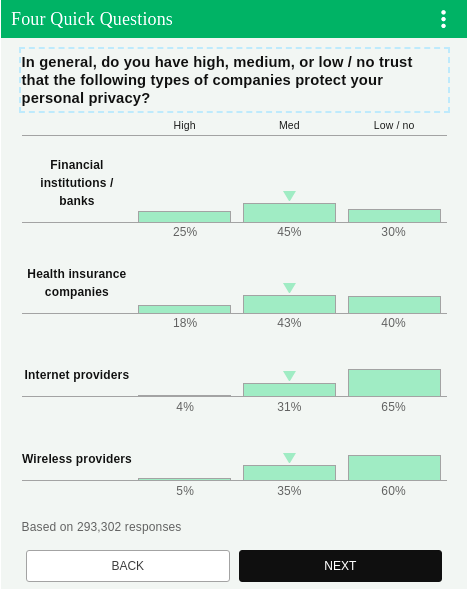
Matrix question responses are displayed like this:
Question details
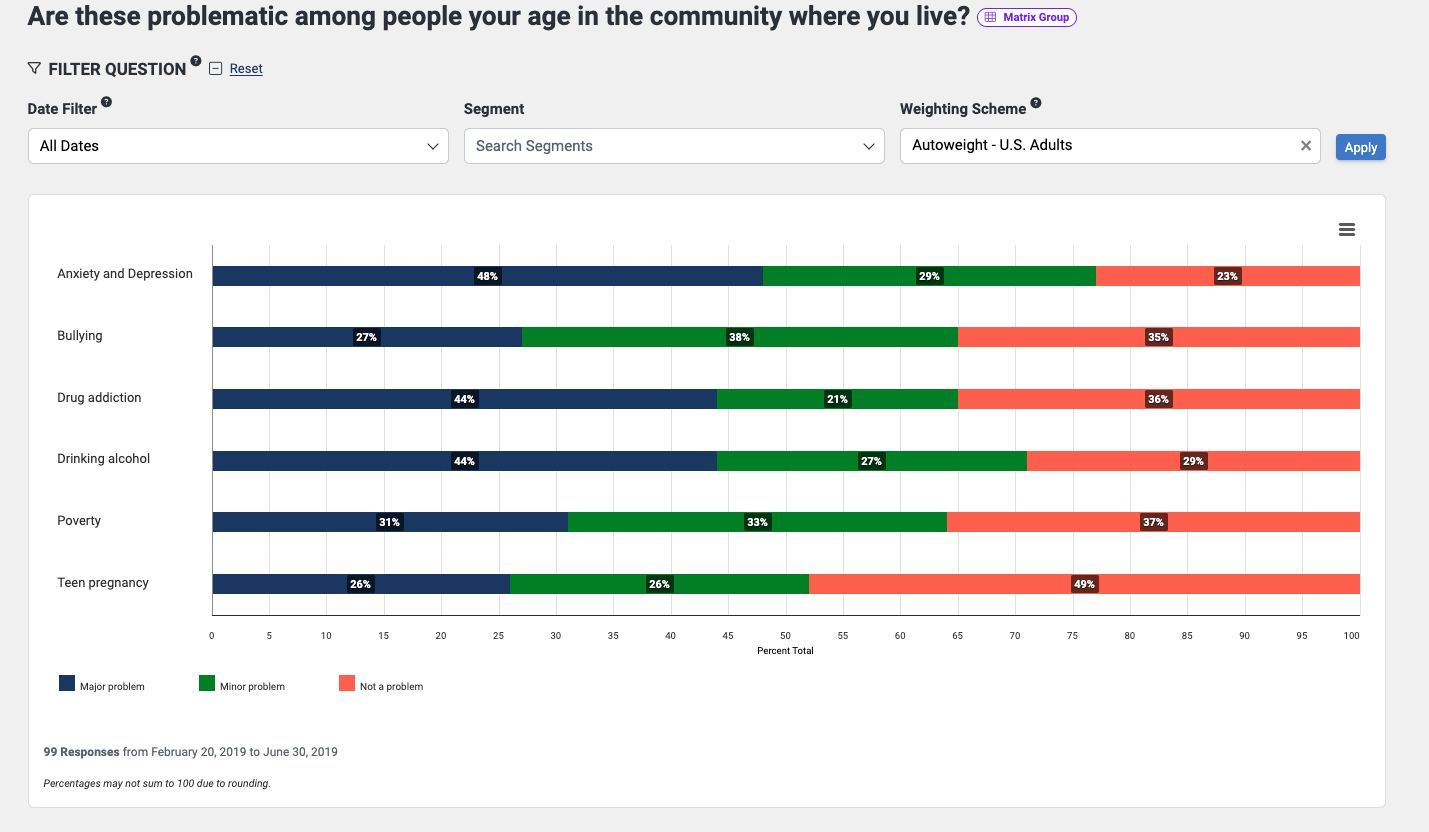
The question details page for a matrix question shows the question as asked, followed by the date and segment filters as well as the weighting scheme selection field. The answer options are shown below, with responses displayed in a horizontal bar chart.
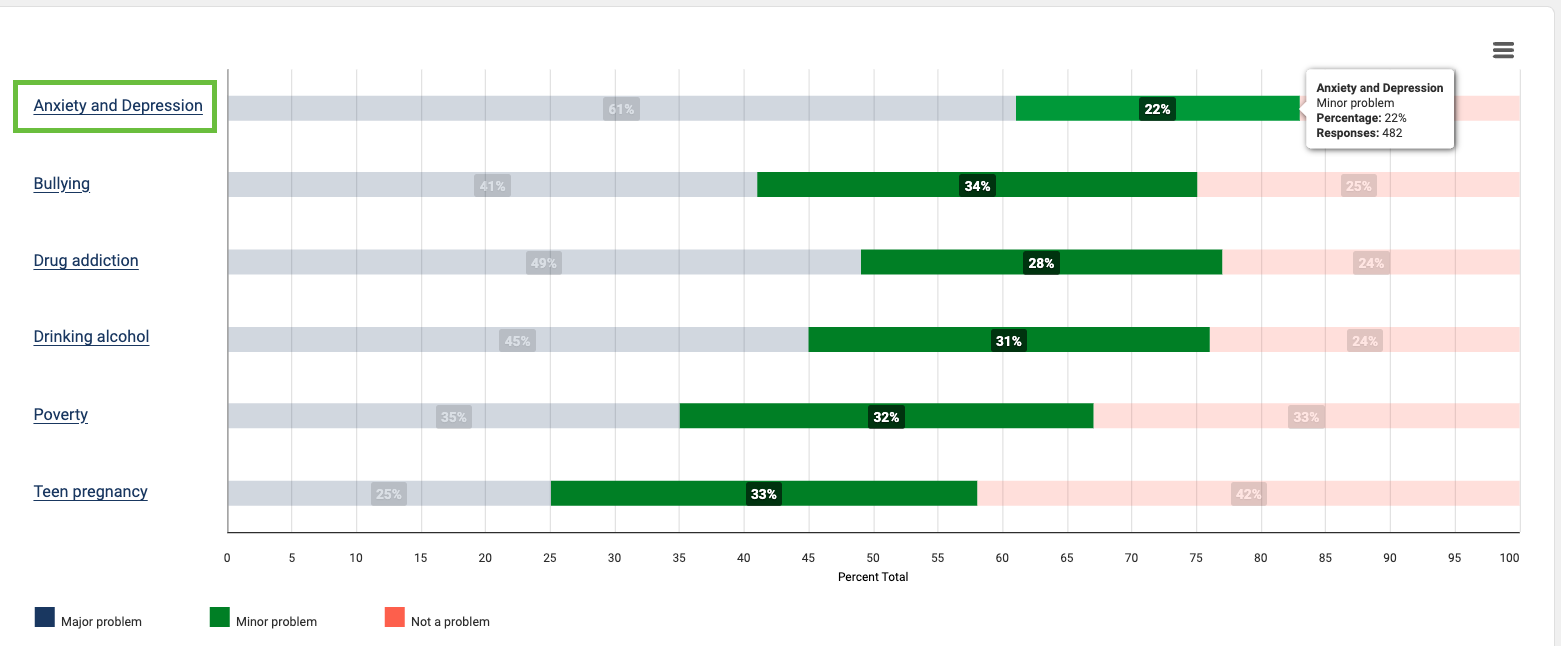
If you hover over a section of the chart, you will see the percentage of respondents who chose that answer and the number of respondents.

Also, note that you can view the individual matrix row items by clicking the row title (the first one in this matrix group is outlined in green below). The link will take you to the matrix item's page.
Matrix item page
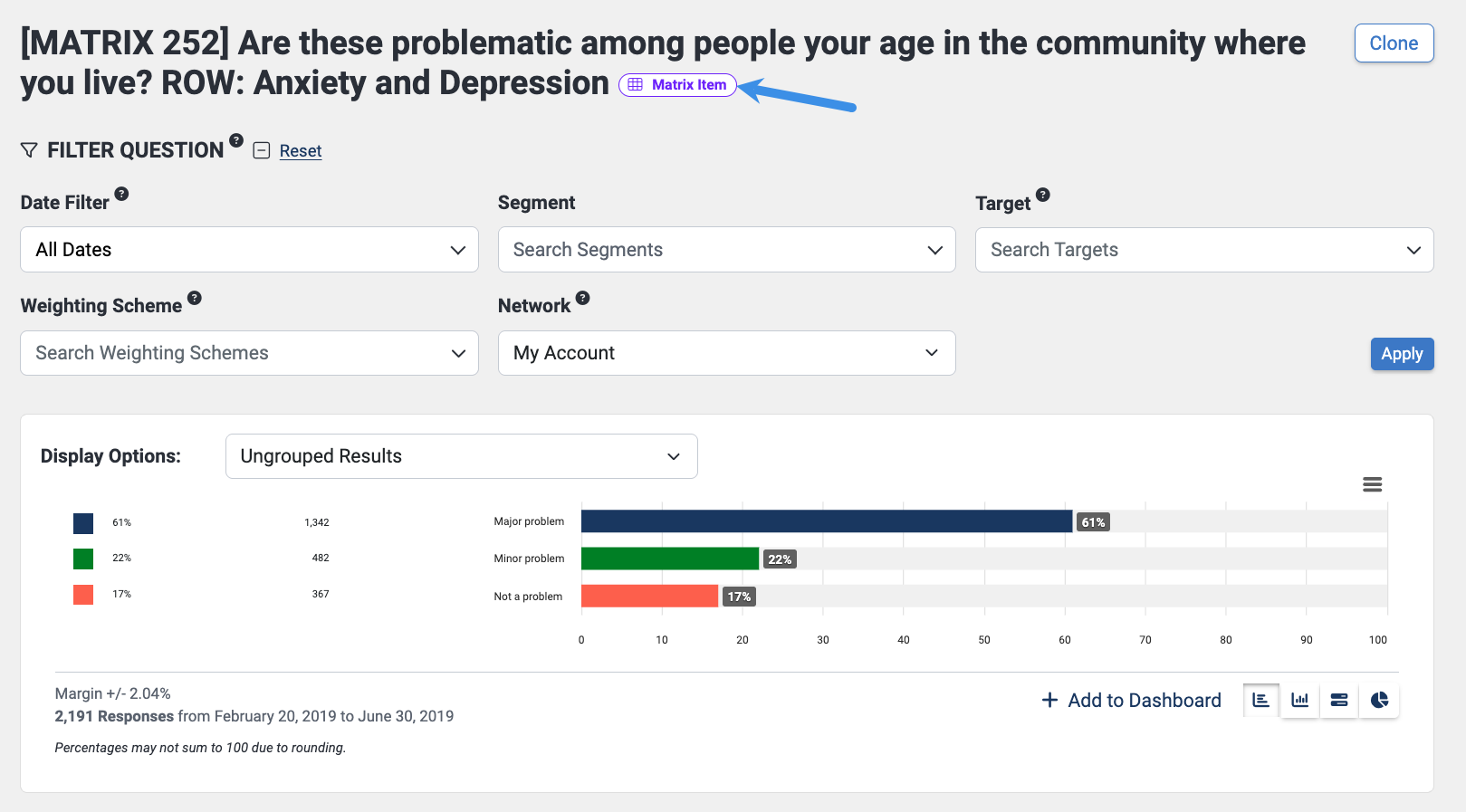
The answer options for matrix questions are considered radio questions. You may see a radio question with the matrix item tag, indicating that it is an answer option for a matrix question.
To view the matrix group, click the purple Matrix Item tag label at the end of the header. We've added a blue arrow pointing to it in the image below.
Creation
Please contact your account manager to have matrix questions created.
Matrix questions are not displayed to respondents until they have answered 32 other questions.